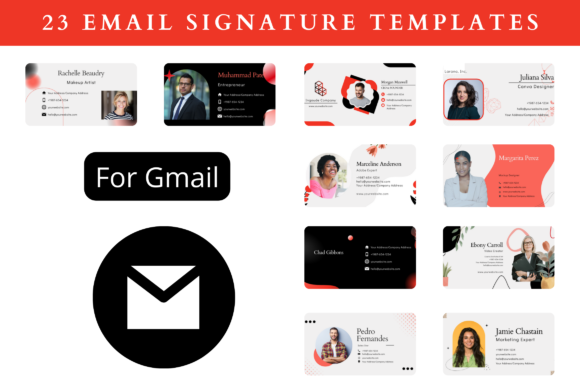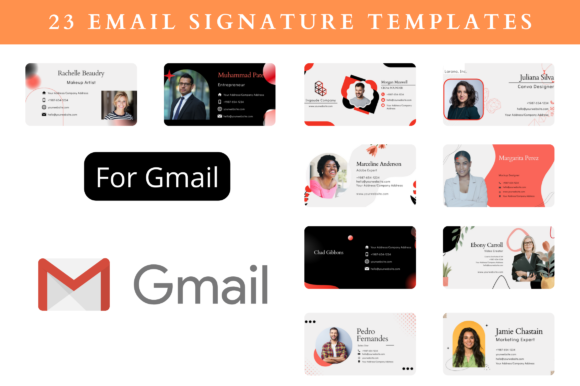
Free & Premium Email Signature Templates for Gmail
Your email signature is often the last impression you make in a professional exchange, yet it's frequently overlooked in graphic design and branding strategy. A well-crafted signature does more than provide contact details; it reinforces your brand identity, enhances visual communication, and builds trust with every message sent. Using Email Signature Templates for Gmail Free offers an immediate solution to elevate this touchpoint without requiring advanced design skills or significant time investment.
The Role of Visual Design in Professional Communication
In modern digital marketing and branding, consistency is paramount. Your email signature acts as a miniature billboard for your brand. It should align with your overall visual identity, using your established color palette, typography, and logo design to create a cohesive experience. This consistency strengthens brand recognition and projects a polished, professional image. Think of it as an extension of your website or business card—a critical piece of your design workflow that ensures every digital interaction is on-brand.
Practical Applications Beyond the Inbox
While designed for email, the principles and assets within these templates have broader applications. The same visual hierarchy and clean aesthetics used in a signature can inform:
- Social Media Graphics: The concise layout is perfect for creating profile banners or contact info slides.
- Digital Marketing: Use the template structure for quick ad creatives or newsletter sign-off graphics.
- Presentation Design: Incorporate signature elements into slide footers for a unified look in pitches and reports.
- Brand Identity Systems: The templates serve as a starting point for developing a complete suite of branded collateral.
Key Features for Effective Design and Usability
A high-quality template library understands the needs of designers, marketers, and business owners. The ideal resource provides more than just static files; it offers a flexible design system. Here’s what to look for in a premium or free template pack:
- Full Editability in Canva: This is crucial. Access to edit images, colors, fonts, and background elements directly in a free, intuitive online tool democratizes design. You can resize templates to 400 x 200 px or any other dimension without losing quality, ensuring perfect compatibility with Gmail, Outlook, and other platforms.
- Comprehensive Instructions: A clear PDF guide with sample signatures and direct editable links streamlines the customization process, saving priceless time. This thoughtful inclusion acts as a mini design tutorial.
- Versatile Export Options: The ability to download in PNG, SVG, JPG, or PDF formats ensures your final signature is optimized for its intended use, whether for digital embedding or high-quality print for business cards or merchandise.
Tips for Selecting and Customizing Your Template
When choosing a template, prioritize readability and scalability. A signature must remain legible on any device, from a desktop monitor to a mobile screen. Use the editing tools to ensure your color palette offers sufficient contrast and that your typography choices are clean and web-safe. Remember, the goal is professional presentation, not visual clutter. Leverage the template's structure to establish a clear visual hierarchy—your name or logo should be the most prominent element, followed by your title and contact details.
Ultimately, thoughtful design choices in something as simple as an email signature can significantly improve both aesthetics and communication. By utilizing high-quality, editable creative assets, you empower yourself to build brand authority consistently and engage your audience more effectively, turning every email into an opportunity for strong visual impression.